888 206 4377
 Email
888 206 4377
Email
Email
888 206 4377
Email
The delivery price is calculated during checkout based on your location and the goods ordered. Our basic delivery prices are:
Delivery within USA: $40.00
Delivery Service: Five working days*
* For products that are in stock and the order received by midday.
Some products go through a final configuration and calibration before being shipped. If the calibration labs are busy this can add up to two days on to the delivery schedule but guarantees a fresh calibration.
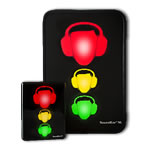
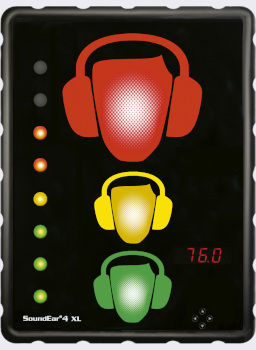
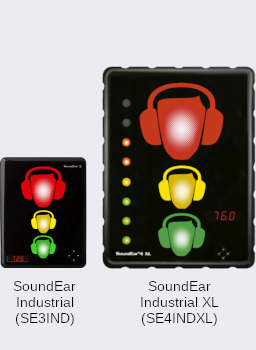
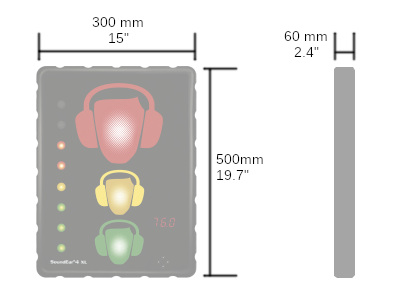
The SoundEar 4 XL is an Extra Large version for the standard SoundEar 4 Industrial Noise Sign. It is about twice as tall and twice as wide as the standard unit.
This version of the SoundEar Industrial is ideal for larger areas where the standard industrial noise sign may not be visible enough.
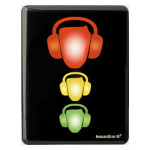
The SoundEar 4 XL Industrial is usually set up to let people know that the sound levels are getting high, with the red light coming on when action needs to be taken - either reduce the levels or use hearing protection.
Each of the lights (green, yellow, red) can be configured to come on at different sound levels. A common setting would be to have the green light on all the time to show the sound levels are fine, the yellow light could be set to light up when the surrounding noise is 80dB(A) and the red light flashing when it exceeds 85dB(A).
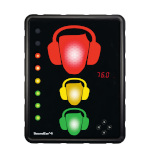
A bar of lights on the left side indicate the noise exposure level over the last 10, 15 or 60 minutes.
The SoundEar 4 XL Industrial has a large internal memory that stores the sound level every second. When downloaded to a computer this gives a detailed graph of the noise throughout the day. A USB memory stick or Wi-Fi connection can be used to transfer the noise measurements from the SoundEar XL to a computer. More information on the Software tab.
The SoundEar 4 XL Industrial comes with Wi-Fi connectivity for connecting to the SoundEar software or to the cloud for real-time data management. It also includes Modbus TCP for integration with other systems.
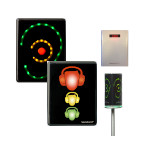
The SoundEar 4 XL Industrial has a plug-in microphone. It connects at the bottom of the sign and remains out of sight and out of harm's way. If you need to mount the microphone away from the sign then you can use a microphone extension cable, which should be ordered separately, order code SE4EXT.
The SoundEar 4 XL Industrial is designed for high noise level warning and long term monitoring in industrial areas. This extra large version of the sign is for environments where the standard SoundEar 3 Industrial would be more difficult to see.
Mounted on factory walls, the SoundEar 4 XL Industrial can warn workers that the noise levels are too high and that it is time to take action - reduce the noise levels or fit hearing protection.
This instant alert of high noise levels is ideal for factories with intermittent noise levels. Rather than leaving employees to guess when to take action based on their own perception of the noise levels, it is better to clearly show the real acoustic situation.
Taking advantage of the data logging facility and software (both included with the SoundEar 4 XL Industrial) you can check the noise levels throughout the day, identifying the noisiest periods.
The SoundEar 4 XL Industrial includes a Modbus TCP interface, which can be configured to provide:
Installation of the SoundEar 4 XL Industrial consists of two parts: mounting it on the wall and setting up the display.
The easiest way to mount the SoundEar 4 XL Industrial on the wall is using a single screw and hanging the sign, just like a picture.
)
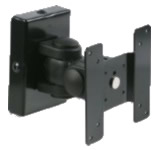
For a more permanent mounting, angled viewing and corner mounting you can use the optional VESA mount. The mount is first fixed to the back of the SoundEar 4 XL Noise Sign and a VESA mounting bracket is fixed to the wall. The noise sign and mount are then fixed to the wall bracket.
We can supply you with a suitable mount (order code SE2VESAXL), or you can use a standard 100mm x 100mm VESA mount, which can be obtained from most television stores.
The SoundEar 4 XL Industrial comes complete with a plug-top USB-C power adapter. This provides the safe low voltage that the noise sign requires.
The SoundEar 4 XL has been developed for use in areas that need high electrical safety, such as hospitals. This optional P-SE3-MED power adapter is approved in accordance with IEC 60601-1 (medical electrical equipment).
The perfect location for a sign depends on the layout and the acoustics of the area in question. In large areas, or where the acoustic environment varies considerably, multiple signs should be used to ensure good coverage. A quick survey with a sound level meter (such as the one included in the multi-packs) can help determine the ideal locations.
If the signs are being used to warn about a risk to hearing then it is not always just a simple case of setting it to 85dB(A). The sound level at the mounting point on the wall will be a little away from machinery and will probably suffer from reflections. Ideally it should be adjusted to light up when the noise levels where people are working approach the acceptable limit.
The SoundEar 4 XL can be configured in many ways, with different trigger levels for the green, yellow and red lights, as well as different trigger durations and minimum lighting periods. It can also be set to have different settings for night time and will switch to those at the set times.
While some of the configuration can be carried out using the controls on the front of the sign (four arrow keys), it is often more convenient to use the software. There are two ways to do this:
In this example the red light is set to flash when the sound levels are above 80 dB(A) for at least 0.5 seconds. It will flash for at least 1 second. At night the trigger levels is reduced to 70 dB(A) and the red light does not flash.
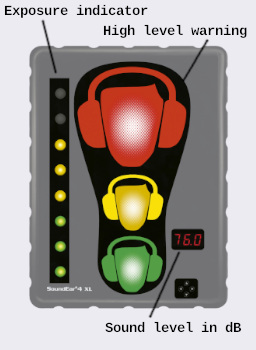
The SoundEar 4 XL has five main display components:
You can have two different time periods set, so you can have it operating with one configuration during the day and another during the night. It will switch between these settings at the times you select.
No matter what the display is showing, the SoundEar 4 XL Industrial is still monitoring and logging the sound levels. It could even be left showing just the time or nothing at all, thus avoiding people shouting or whistling to see it react.
As each indicator (green, yellow, red) can be set to light up at different levels and can the red light can be set to be constant or to flash, there are many different configurations possible. Here are some examples.
1. Dual Level Warning - The most common configuration. The Green light is on all the time to remind everybody that the noise levels are being monitored. In this example the green light is always on to show the sign is monitoring, the yellow comes on at 75 dB(A) and the red at 80 dB(A)
2. High Impact Flash - For maximum impact when the threshold is passed, the red light can be set to flash. In this it starts flashing at 80 dB(A).
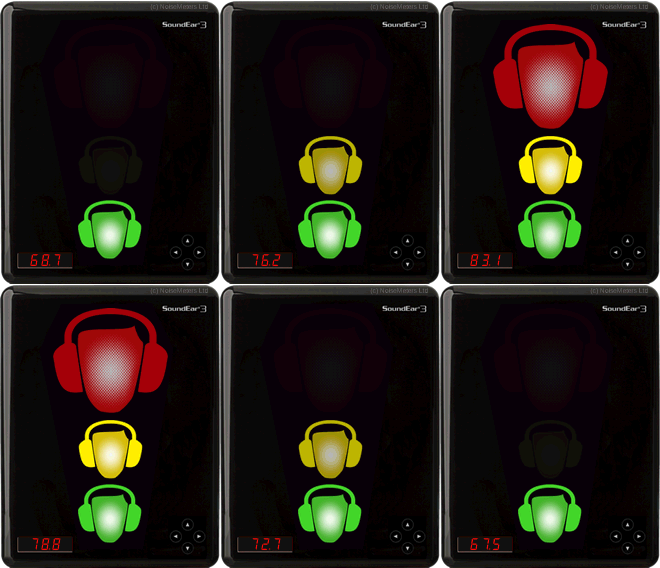
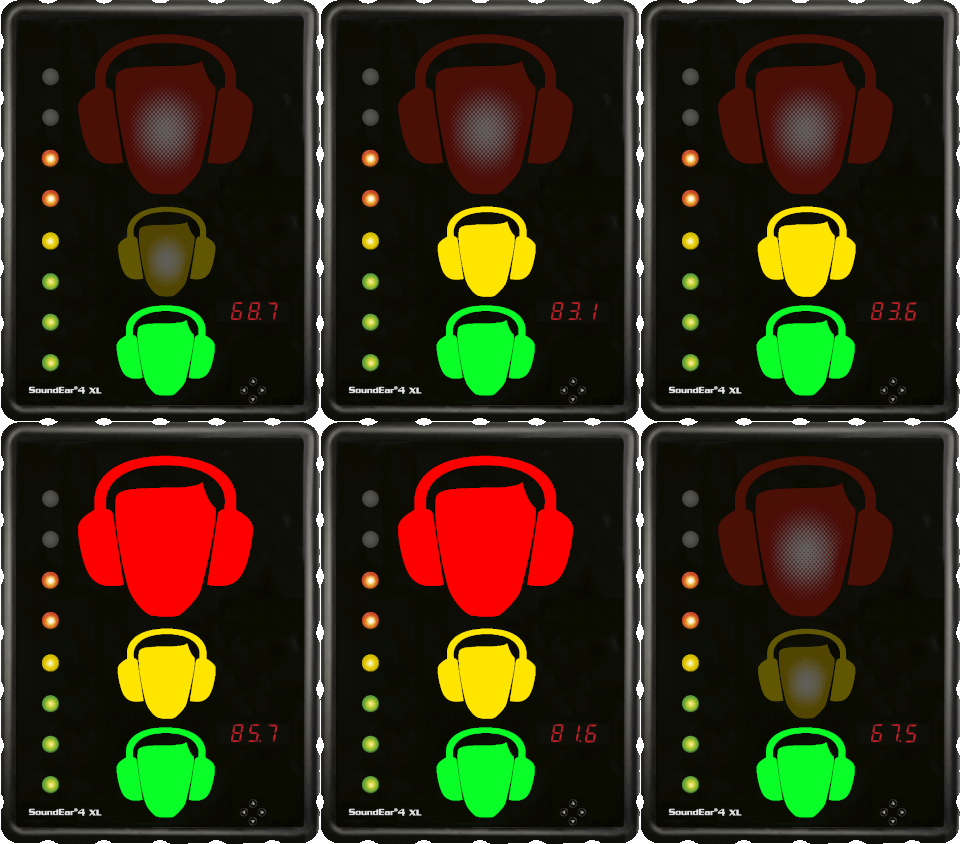
The main part of the SoundEar Industrial noise warning sign indicates the current sound level, lighting up yellow and then red as soon as high noise levels are detected. In an industrial environment it is also important to look at the longer term noise exposure levels.
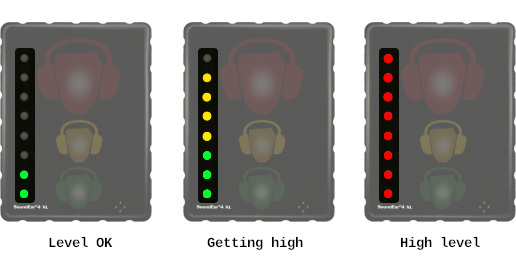
The Exposure Indicator on the left side of the noise warning sign gives workers key information about their recent noise exposure. It calculates a rolling average over a selectable period of 10, 15 or 60 minutes. Using green, yellow and red indicators, the exposure bar helps workers understand their recent noise exposure and make more informed decisions about when to wear hearing protection, particularly during longer periods in noisy environments.
Green lights at the bottom of the bar show that the noise levels are well below the threshold, which can be configured by the user. The yellow lights show that the exposure is getting closer to the threshold. When the threshold is reached the indicator bar goes red.
For long term monitoring of the noise levels in a factory, the SoundEar 4 XL Industrial stores the sound levels for download to a computer. The software is included with the noise sign and offers:
The software is included with the SoundEar 4 XL Industrial at no extra charge and is designed for all recent versions of Windows. It communicates with the sign via the computer's USB port or WiFi network. If a WiFi network is not available then downloads and configuration can be carried out via a memory stick, so you don't have to take the sign down from the wall each time.
Measurements that have been stored in the noise warning sign can be downloaded to a computer for analysis and reporting. You can connect the sign directly to a computer's USB port, over a WiFi connection or download via a USB memory stick.
When using a memory stick the SoundEar 4 XL will automatically transfer its measurements on to a memory stick that is plugged in. You then take the memory stick to a computer and load it into the SoundEar software.
You can also view the live sound levels by connecting the SoundEar 4 XL Industrial over WiFi or via the computer's USB port and running the SoundEar software.
The SoundEar 4 XL Industrial stores noise measurements in its internal memory. You can configure it to store a minimal amount of information for longer, or to store everything for a shorter period of time.
The Noise Processor's internal memory is large enough for more than 18 months storage without download - although of course we would recommend regular download to avoid data loss.
If you have a Sound Level Calibrator and need to ensure the accurate operation of the SoundEar 4 XL Industrial then the software deals with this. Connect the noise sign to the software, connect a microphone extension cable and fit the calibrator to the microphone. The software Microphone Calibration option will then deal with the process of checking and adjusting.
The SoundEar software can configure the sign's digital display to show:
Although the default is to show the sound level, it can be useful to turn this off if it causes confusion (not everybody understands dB) or if it causes people to make noise to see how loud they are!
The software can be used to set the trigger levels and times for each of the green, yellow and red lights to come on. Much of this can be done using the keypad on the front of the sign, but it is much easier in the software.
For each light you can set:
Trigger based on:
The SoundEar 4 XL order codes (SE4INDXL or SE4INDXL-x for multi packs) include everything needed for most applications:
The SE4INDXL-x Multi Packs include all these items for each SoundEar 4 XL. They also include an NM102 Hand Held Sound Level Meter, which can be used for making quick measurements of sound levels in the surrounding area, and can be helpful when setting the signs up.
For more information about the sound level meter, please visit the NM102 Sound Level Meter page.
| Order Code | |
| SE4INDXL | SoundEar 4 XL Noise Warning Sign Includes microphone, power adapter and software. |
| SE4INDXL-5 | Pack with 5 Noise Signs and a Sound Meter This discounted package includes five SoundEar 4 XL signs and a hand-held sound level meter. |
| SE4INDXL-10 | Pack with 10 Noise Signs and a Sound Meter This discounted package includes ten SoundEar 4 XL signs and a hand-held sound level meter. |
| CR514 | Sound Level Calibrator A Class 2 calibrator for checking the function and accuracy of the noise warning sign. |
| SE2VESAXL | VESA Wall Mount For angled or corner mounting of the SoundEar. More secure if the single screw mount is not adequate. |
| Standards | IEC 61672-1 Class 2, ANSI S1.43 Type 2 |
| Frequency Range | 20Hz to 20kHz |
| Measuring Range | 30 to 120 dB |
| Deviation | ± 0.5 dB |
| Frequency Weighting | "A" ("C" weighted Peak) |
| Time Weighting | Fast and Slow |
| Connectivity | WiFi for Cloud and Modbus TCP USB-C for power supply (max 2.5 W) and PC configuration USB-A for data export to USB drive |
| Internal Memory | 16MB (128MBit) - 600 days |
| Dimensions | 500 x 380 x 60 mm, 19.7" x 15" x 2.4" |
| Power | 5 VDC (USB-C) max 2.5W |
| Acoustic Standards | IEC61672-1 Class 2, ANSI S1.4 Type 2 |
 Cart
Cart)
)